Cabeceras de seguridad HTTP: la guía práctica para proteger tu sitio web

Con unas pocas líneas de configuración, las cabeceras de seguridad HTTP ayudan a frenar XSS, clickjacking y fugas de información. Te explicamos cuáles usar, qué valores recomienda OWASP y cómo activarlas sin romper tu sitio.

HTTP security headers: a practical guide to protecting your website

With a few lines of configuration, HTTP security headers help stop XSS, clickjacking and information leaks. Here's which ones to use, the values OWASP recommends and how to turn them on without breaking your site.

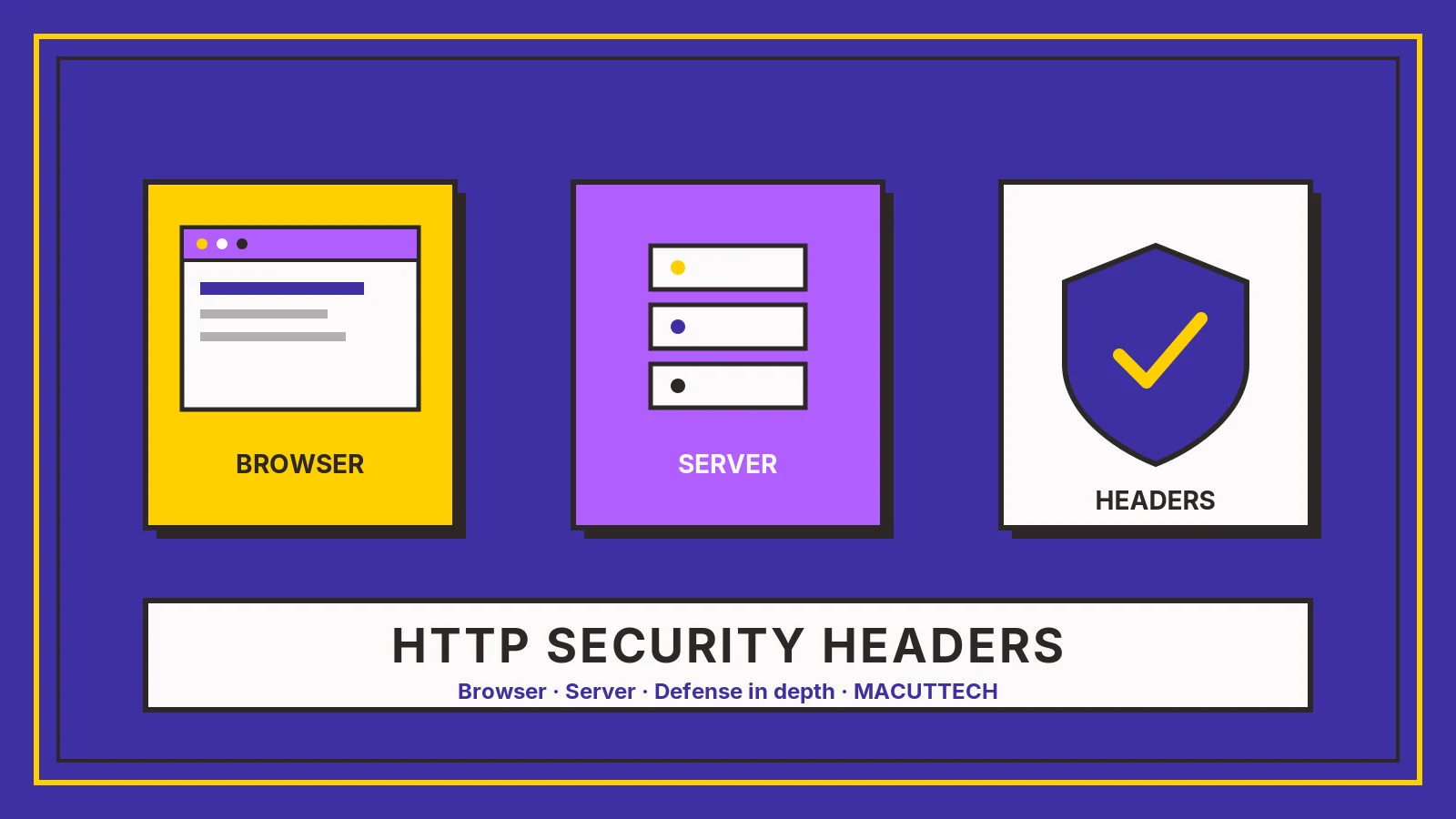
Ilustración abstracta MacutTech: navegador, servidor y escudo con marca de verificación; texto “HTTP SECURITY HEADERS”. Sin marcas de producto.

Tu sitio puede tener un buen diseño, un certificado HTTPS y un código cuidado, y aun así dejar abiertas puertas que se cierran con unas pocas líneas de configuración. Las cabeceras de seguridad HTTP son instrucciones que el servidor envía junto a cada página y que le dicen al navegador cómo debe comportarse: si puede mostrar el sitio dentro de un iframe ajeno, si debe usar siempre HTTPS o de dónde puede cargar scripts. Según la guía de OWASP, son "un gran refuerzo para la seguridad web" y de implementación sencilla, porque ayudan a prevenir problemas como el cross-site scripting (XSS), el clickjacking y la fuga de información.

Esta guía repasa las más importantes, los valores que recomienda OWASP y cómo aplicarlas sin romper tu sitio.

7 Cabeceras y controles en la tabla resumen
2 Años: max-age=63072000 del ejemplo de HSTS de OWASP
2 Pasos para adoptar CSP: Report-Only y luego obligatoria
5 Pasos para aplicarlas sin romper nada

Cómo llegan al navegador

Paso 1 de 3

GET

El navegador solicita una página (p. ej., GET /página).

1. El navegador solicita

El navegador solicita una página (p. ej., GET /página).

2. El servidor responde

El servidor responde con el cuerpo y las cabeceras de seguridad HTTP.

3. El navegador las aplica

El navegador las aplica según su soporte. CSP Report-Only observa y reporta sin bloquear; CSP enforced bloquea los recursos que incumplen la política. HSTS recibido por HTTPS afecta conexiones futuras; preload requiere cumplir requisitos públicos. Las cabeceras refuerzan la defensa en profundidad; no sustituyen código seguro ni controles de aplicación.

Diagrama conceptual basado en MDN/OWASP. No es configuración de servidor.

Referencia cualitativa

Cabeceras de seguridad HTTP

Haz clic en un encabezado para ordenar. Cifras/valores de ejemplo del artículo siguen OWASP/MDN; no son una config universal. HSTS: empezar con max-age corto; preload tiene requisitos.

Cabecera / control Qué controla Precaución / matiz
Content-Security-Policy (CSP)Orígenes/recursos permitidos; frame-ancestors para incrustación.Compleja (OWASP). Usar Report-Only primero. No sustituye sanitizar entrada.
Content-Security-Policy-Report-OnlyObserva y reporta violaciones sin bloquear (MDN).Requiere endpoint de reportes. Puede coexistir con CSP enforced.
Strict-Transport-Security (HSTS)Fuerza HTTPS en visitas futuras tras ver la cabecera por HTTPS.Cert/config mala puede bloquear usuarios (OWASP). max-age corto al inicio; preload ≠ automático.
X-Content-Type-Options: nosniffRespeta Content-Type; evita sniffing MIME.Declarar bien Content-Type en todo el sitio.
Referrer-PolicyCuánta URL de origen se envía.Declarar explícitamente (p. ej. strict-origin-when-cross-origin).
Permissions-PolicyAPIs del navegador permitidas (cámara, mic, geo…).Desactivar lo no usado.
X-Frame-Options / frame-ancestorsQuién puede embeber (anti-clickjacking).Preferir frame-ancestors; XFO DENY como respaldo (OWASP).

Fuentes: OWASP HTTP Security Response Headers Cheat Sheet · MDN CSP · MDN CSP-Report-Only · MDN HTTP Observatory · hstspreload.org

1. Strict-Transport-Security (HSTS): siempre HTTPS

HSTS le indica al navegador que solo acceda al sitio por HTTPS, incluso si alguien escribe la dirección con http://. La configuración que propone OWASP es:

Strict-Transport-Security: max-age=63072000; includeSubDomains; preload

El valor max-age está en segundos (63072000 equivale a dos años). Ojo: OWASP advierte que, si la cabecera está mal configurada o el certificado TLS caduca o es revocado, los usuarios legítimos podrían quedarse sin acceso hasta que venza ese plazo. Por eso conviene empezar con un max-age corto, comprobar que todos los subdominios funcionan con HTTPS y solo después subirlo. La opción preload sirve para pedir que el dominio entre en la lista que traen los navegadores de fábrica; antes de solicitarlo, revisa los requisitos en hstspreload.org.

2. Content-Security-Policy (CSP): quién puede ejecutar código en tu página

CSP define de qué orígenes se pueden cargar scripts, estilos, imágenes y otros recursos. Es una capa adicional que ayuda a detectar y mitigar ataques como el XSS y la inyección de datos. También es la cabecera más delicada: OWASP reconoce que es compleja de configurar y mantener, y una política demasiado estricta puede dejar sin funcionar un formulario, un chat o la analítica.

La forma segura de adoptarla es en dos pasos:

  • Primero, publica la política con Content-Security-Policy-Report-Only. Según MDN, esta cabecera permite vigilar las violaciones de la política sin aplicarla, para probar y corregir antes de activarla. Para recibir los reportes hay que declarar la directiva report-to junto con un endpoint definido en Reporting-Endpoints.
  • Cuando los reportes muestren que solo se bloquea lo que debe bloquearse, cambia a Content-Security-Policy para que el navegador la haga cumplir.

Una política de CSP también permite decidir quién puede incrustar tu sitio con la directiva frame-ancestors, que según OWASP deja obsoleta a X-Frame-Options en los navegadores que la soportan.

3. X-Frame-Options: contra el clickjacking

Mientras no tengas frame-ancestors en tu CSP, X-Frame-Options evita que otro sitio muestre tus páginas dentro de un marco invisible para engañar al usuario y hacerle hacer clic donde no quiere. El valor recomendado por OWASP es:

X-Frame-Options: DENY

4. X-Content-Type-Options: no adivinar tipos de archivo

Con X-Content-Type-Options: nosniff el navegador respeta el tipo declarado en Content-Type y no intenta adivinarlo. Esto bloquea los llamados ataques de confusión MIME, en los que un archivo que no debería ejecutarse termina interpretado como código. Va de la mano con declarar bien el Content-Type en todo el sitio; para HTML, OWASP recomienda Content-Type: text/html; charset=UTF-8.

5. Referrer-Policy: cuánta información sale en cada enlace

Cuando un usuario pasa de tu sitio a otro, el navegador puede enviar la dirección de origen. OWASP recomienda declarar de forma explícita Referrer-Policy: strict-origin-when-cross-origin: dentro de tu propio sitio se envía la URL completa, hacia otros sitios solo el dominio, y de HTTPS a HTTP no se envía nada. Así evitas filtrar rutas o parámetros que no deberían salir de tu web.

6. Permissions-Policy: apaga lo que no usas

Esta cabecera controla qué funciones del navegador puede usar la página y sus iframes. Si tu sitio no necesita cámara, micrófono ni ubicación, desactívalos:

Permissions-Policy: geolocation=(), camera=(), microphone=()

Así, aunque alguien lograra inyectar código, no podría activar esas funciones.

7. Lo que conviene quitar o dejar de usar

Checklist

Qué quitar o dejar de usar (OWASP)

Marca lo que ya revisaste en tu sitio.

Cómo aplicarlas sin romper nada

  1. Revisa el estado actual de tu sitio con una herramienta como el HTTP Observatory de MDN, que analiza las cabeceras de una URL.
  2. Empieza por las de bajo riesgo: X-Content-Type-Options, Referrer-Policy, Permissions-Policy y X-Frame-Options.
  3. Activa HSTS con un max-age corto y súbelo cuando confirmes que todo funciona por HTTPS.
  4. Lleva la CSP primero en modo Report-Only, ajusta según los reportes y luego hazla obligatoria.
  5. Configúralas en un solo lugar (servidor, CDN o framework) para no duplicarlas. En Nginx, por ejemplo, OWASP recuerda usar la opción always en add_header para que la cabecera se envíe también en respuestas de error; en Express, la librería helmet facilita su configuración.

Ninguna cabecera reemplaza un código seguro, pero juntas reducen mucho la superficie de ataque con muy poco esfuerzo. Es de las mejoras con mejor relación costo-beneficio que puede hacer cualquier sitio web.

Preguntas frecuentes

¿Qué valor de HSTS propone OWASP?

Strict-Transport-Security: max-age=63072000; includeSubDomains; preload. El max-age está en segundos (dos años). Conviene empezar con un max-age corto y subirlo cuando todo funcione por HTTPS.

¿Cómo activo CSP sin romper el sitio?

Primero con Content-Security-Policy-Report-Only, que vigila las violaciones sin aplicarlas. Cuando los reportes muestren que solo se bloquea lo que debe bloquearse, cambia a Content-Security-Policy.

¿Sigo necesitando X-Frame-Options?

Mientras no tengas frame-ancestors en tu CSP, sí: OWASP recomienda X-Frame-Options: DENY. Según OWASP, frame-ancestors la deja obsoleta en los navegadores que la soportan.

¿Debo usar X-XSS-Protection?

OWASP aconseja no usarla o fijarla en 0, porque en algunos casos puede crear vulnerabilidades XSS en sitios que eran seguros.

¿Las cabeceras reemplazan un código seguro?

No. Refuerzan la defensa en profundidad y reducen la superficie de ataque, pero no sustituyen código seguro ni controles de aplicación.

Fuentes

Sigue leyendo

MACUTTECH

¿Revisamos las cabeceras de tu sitio?

Si quieres saber qué cabeceras envía hoy tu sitio y cómo activarlas sin romper formularios, chats ni analítica, te ayudamos a revisarlo y a configurarlo. Trabajamos desde Barranquilla, en remoto para LATAM.
DONE
<div class="mt-fx" data-mt-fx="rollout-cabeceras-seguridad-http-guia-practica" aria-hidden="true"></div> <p>Your website can have a great design, an HTTPS certificate and careful code, and still leave doors open that a few lines of configuration would close. HTTP security headers are instructions the server sends with every page to tell the browser how to behave: whether the site can be shown inside someone else's iframe, whether it must always use HTTPS, or where it may load scripts from. <a href="https://cheatsheetseries.owasp.org/cheatsheets/HTTP_Headers_Cheat_Sheet.html" target="_blank" rel="noopener noreferrer">OWASP's guide</a> calls them "a great booster for web security with easy implementation", because they help prevent issues such as cross-site scripting (XSS), clickjacking and information disclosure.</p> <p>This guide covers the most important ones, the values OWASP recommends and how to roll them out without breaking your site.</p> <div class="mt-fx-stats mt-fx-reveal" aria-label="Figures in this guide"> <div class="mt-fx-stat"> <span class="mt-fx-count" data-mt-count="1" data-mt-target="7">7</span> <span class="mt-fx-stat-label" lang="en" style="overflow-wrap:anywhere;hyphens:auto">Headers and controls in the summary table</span> </div> <div class="mt-fx-stat"> <span class="mt-fx-count" data-mt-count="1" data-mt-target="2">2</span> <span class="mt-fx-stat-label" lang="en" style="overflow-wrap:anywhere;hyphens:auto">Years: max-age=63072000 in OWASP's HSTS example</span> </div> <div class="mt-fx-stat"> <span class="mt-fx-count" data-mt-count="1" data-mt-target="2">2</span> <span class="mt-fx-stat-label" lang="en" style="overflow-wrap:anywhere;hyphens:auto">Steps to adopt CSP: Report-Only, then enforced</span> </div> <div class="mt-fx-stat"> <span class="mt-fx-count" data-mt-count="1" data-mt-target="5">5</span> <span class="mt-fx-stat-label" lang="en" style="overflow-wrap:anywhere;hyphens:auto">Steps to roll them out without breaking anything</span> </div> </div> <h2 id="how-they-reach-the-browser">How they reach the browser (diagram)</h2> <figure class="mt-fx-reveal"> <img src="https://www.macuttech.com/uploads/IHQ1paxqOaia3gl6kLDSR-diagram-http-headers-flow-en.webp" alt="MacutTech conceptual diagram of HTTP security headers: browser requests a page, server responds with security headers, browser applies them per support; CSP Report-Only observes without blocking versus CSP enforced which blocks; HSTS shapes future HTTPS visits; headers do not replace secure code." style="max-width:100%;height:auto;"> <figcaption>Original MacutTech illustration of how HTTP security headers reach the browser (not a server config screenshot or product UI). Concepts aligned with MDN and the OWASP HTTP Security Response Headers Cheat Sheet.</figcaption> </figure> <div class="mt-fx-scrolly"> <div class="mt-blog-sticky-media mt-fx-scene" data-mt-scene="1"> <p class="mt-fx-scene-step" data-mt-scene-kicker="1">Step 1 of 3</p> <p class="mt-fx-scene-value" data-mt-scene-value="1">GET</p> <p class="mt-fx-scene-label" data-mt-scene-label="1">The client asks for a page (e.g. GET /page).</p> </div> <div class="mt-fx-scrolly-steps"> <section class="mt-fx-step" data-mt-step="1" data-mt-scene-kicker="Step 1 of 3" data-mt-scene-value="GET" data-mt-scene-label="The client asks for a page (e.g. GET /page)."> <h3>1. Browser requests</h3> <p>The client asks for a page (e.g. GET /page).</p> </section> <section class="mt-fx-step" data-mt-step="2" data-mt-scene-kicker="Step 2 of 3" data-mt-scene-value="200 + headers" data-mt-scene-label="Along with the body, the server sends HTTP security headers."> <h3>2. Server responds</h3> <p>Along with the body, it sends HTTP security headers.</p> </section> <section class="mt-fx-step" data-mt-step="3" data-mt-scene-kicker="Step 3 of 3" data-mt-scene-value="Apply" data-mt-scene-label="The browser interprets the headers according to support."> <h3>3. Browser applies</h3> <p>It interprets the headers according to support. CSP Report-Only observes and reports violations without blocking; CSP enforced (Content-Security-Policy) blocks what violates the policy. HSTS, once received over HTTPS, shapes future HTTPS-only connections (per max-age and options); preload requires meeting public criteria (hstspreload.org) and is not an automatic step. Headers harden defense in depth; they do not replace secure code or application controls.</p> </section> </div> </div> <h2 id="key-headers">Key headers (summary)</h2> <div class="mt-fx-panel mt-fx-reveal"> <span class="mt-fx-kicker">Qualitative reference</span> <h3 class="mt-fx-panel-title">HTTP security headers</h3> <p class="mt-fx-caption">Click a header to sort. Example values in the article follow OWASP/MDN; not a universal config. HSTS: start with a short max-age; preload has requirements.</p> <table class="mt-fx-sortable"> <thead> <tr> <th scope="col">Header / control</th> <th scope="col">What it controls</th> <th scope="col">Caution / nuance</th> </tr> </thead> <tbody> <tr><td>Content-Security-Policy (CSP)</td><td>Allowed origins/resources; <code>frame-ancestors</code> for embedding.</td><td>Complex (OWASP). Start Report-Only. Not a substitute for sanitizing input.</td></tr> <tr><td>Content-Security-Policy-Report-Only</td><td>Observes and reports violations <strong>without blocking</strong> (MDN).</td><td>Needs a reporting endpoint. Can coexist with enforced CSP.</td></tr> <tr><td>Strict-Transport-Security (HSTS)</td><td>Forces HTTPS on future visits after seen over HTTPS.</td><td>Bad cert/config can lock users out (OWASP). Short max-age first; preload is not automatic.</td></tr> <tr><td>X-Content-Type-Options: nosniff</td><td>Honors <code>Content-Type</code>; blocks MIME sniffing.</td><td>Set Content-Type correctly site-wide.</td></tr> <tr><td>Referrer-Policy</td><td>How much referrer URL is sent.</td><td>Set explicitly (e.g. strict-origin-when-cross-origin).</td></tr> <tr><td>Permissions-Policy</td><td>Which browser features the page/iframes may use.</td><td>Disable unused features.</td></tr> <tr><td>X-Frame-Options / frame-ancestors</td><td>Who may embed (clickjacking defense).</td><td>Prefer frame-ancestors; XFO DENY as fallback (OWASP).</td></tr> </tbody> </table> <p class="mt-fx-caption">Sources: OWASP HTTP Security Response Headers Cheat Sheet · MDN CSP · MDN CSP-Report-Only · MDN HTTP Observatory · hstspreload.org</p> </div> <h2 id="hsts-en">1. Strict-Transport-Security (HSTS): always HTTPS</h2> <p>HSTS tells the browser to access the site only over HTTPS, even if someone types the address with http://. OWASP's suggested configuration is:</p> <pre><code>Strict-Transport-Security: max-age=63072000; includeSubDomains; preload</code></pre> <p><code>max-age</code> is in seconds (63072000 is two years). Be careful: OWASP warns that if the header is misconfigured, or the TLS certificate expires or is revoked, legitimate users may be locked out until that period ends. So start with a short <code>max-age</code>, confirm every subdomain works over HTTPS, and only then raise it. The <code>preload</code> option is used to request that the domain be added to the list browsers ship with; before applying, check the requirements at <a href="https://hstspreload.org/" target="_blank" rel="noopener noreferrer">hstspreload.org</a>.</p> <h2 id="csp-en">2. Content-Security-Policy (CSP): who can run code on your page</h2> <p>CSP defines which origins scripts, styles, images and other resources can be loaded from. It is an extra layer that helps detect and mitigate attacks such as XSS and data injection. It is also the trickiest header: OWASP acknowledges it is complex to configure and maintain, and an overly strict policy can break a form, a chat widget or analytics.</p> <p>The safe way to adopt it is in two steps:</p> <ul> <li>First, ship the policy as <code>Content-Security-Policy-Report-Only</code>. According to <a href="https://developer.mozilla.org/en-US/docs/Web/HTTP/Reference/Headers/Content-Security-Policy-Report-Only" target="_blank" rel="noopener noreferrer">MDN</a>, this header lets you monitor policy violations without enforcing them, so you can test and fix before turning it on. To receive reports you must declare the <code>report-to</code> directive along with an endpoint defined in <code>Reporting-Endpoints</code>.</li> <li>Once the reports show that only what should be blocked is blocked, switch to <code>Content-Security-Policy</code> so the browser enforces it.</li> </ul> <p>A CSP policy also lets you decide who can embed your site through the <code>frame-ancestors</code> directive, which according to OWASP makes X-Frame-Options obsolete in browsers that support it.</p> <h2 id="x-frame-options-en">3. X-Frame-Options: against clickjacking</h2> <p>Until you have <code>frame-ancestors</code> in your CSP, X-Frame-Options stops other sites from showing your pages inside an invisible frame to trick users into clicking where they don't intend to. OWASP's recommended value is:</p> <pre><code>X-Frame-Options: DENY</code></pre> <h2 id="x-content-type-options-en">4. X-Content-Type-Options: no guessing file types</h2> <p>With <code>X-Content-Type-Options: nosniff</code> the browser follows the type declared in Content-Type instead of guessing it. This blocks so-called MIME confusion attacks, where a file that should never run ends up interpreted as code. It goes hand in hand with declaring Content-Type correctly across the site; for HTML, OWASP recommends <code>Content-Type: text/html; charset=UTF-8</code>.</p> <h2 id="referrer-policy-en">5. Referrer-Policy: how much leaves with every link</h2> <p>When a user goes from your site to another, the browser may send the address they came from. OWASP recommends setting <code>Referrer-Policy: strict-origin-when-cross-origin</code> explicitly: within your own site the full URL is sent, to other sites only the origin, and from HTTPS to HTTP nothing at all. That way you avoid leaking paths or parameters that shouldn't leave your site.</p> <h2 id="permissions-policy-en">6. Permissions-Policy: turn off what you don't use</h2> <p>This header controls which browser features the page and its iframes can use. If your site doesn't need the camera, microphone or location, disable them:</p> <pre><code>Permissions-Policy: geolocation=(), camera=(), microphone=()</code></pre> <p>That way, even if someone managed to inject code, they couldn't turn those features on.</p> <h2 id="what-to-remove">7. What to remove or stop using</h2> <div class="mt-fx-panel mt-fx-reveal" data-mt-checklist="1"> <span class="mt-fx-kicker">Checklist</span> <h3 class="mt-fx-panel-title">What to remove or stop using (OWASP)</h3> <p class="mt-fx-caption">Tick what you have already checked on your site.</p> <ul class="mt-fx-list"> <li><label class="mt-fx-check"><input type="checkbox"> Headers that reveal your technology: OWASP recommends removing <code>X-Powered-By</code> and keeping <code>Server</code> non-informative, while noting attackers have other ways to fingerprint your stack.</label></li> <li><label class="mt-fx-check"><input type="checkbox"> <code>X-XSS-Protection</code>: OWASP advises not setting it or setting it to <code>0</code>, because in some cases it can create XSS vulnerabilities in otherwise safe sites. Real protection comes from a good CSP.</label></li> <li><label class="mt-fx-check"><input type="checkbox"> <code>Expect-CT</code> and <code>Public-Key-Pins</code>: both are obsolete and OWASP recommends removing them.</label></li> </ul> <p><button type="button" class="mt-fx-btn" data-mt-check-copy="1">Copy summary</button></p> </div> <h2 id="how-to-roll-them-out">How to roll them out without breaking anything</h2> <ol class="mt-fx-timeline"> <li><strong>Check your site's current state</strong> with a tool such as <a href="https://developer.mozilla.org/en-US/observatory" target="_blank" rel="noopener noreferrer">MDN's HTTP Observatory</a>, which scans the headers of a URL.</li> <li><strong>Start with the low-risk ones:</strong> <code>X-Content-Type-Options</code>, <code>Referrer-Policy</code>, <code>Permissions-Policy</code> and <code>X-Frame-Options</code>.</li> <li><strong>Turn on HSTS</strong> with a short <code>max-age</code> and raise it once you've confirmed everything works over HTTPS.</li> <li><strong>Run CSP in Report-Only mode first,</strong> adjust based on the reports, then enforce it.</li> <li><strong>Configure them in one place</strong> (server, CDN or framework) to avoid duplicates. In Nginx, for example, OWASP notes you should use the <code>always</code> option on <code>add_header</code> so the header is also sent on error responses; in Express, the helmet library makes setup easier.</li> </ol> <p>No header replaces secure code, but together they shrink the attack surface a lot with very little effort. It is one of the best cost-benefit improvements any website can make.</p> <h2 id="faq">Frequently asked questions</h2> <div class="mt-fx-faq"> <details> <summary>What HSTS value does OWASP suggest?</summary> <p><code>Strict-Transport-Security: max-age=63072000; includeSubDomains; preload</code>. max-age is in seconds (two years). Start with a short max-age and raise it once everything works over HTTPS.</p> </details> <details> <summary>How do I turn on CSP without breaking my site?</summary> <p>Start with <code>Content-Security-Policy-Report-Only</code>, which monitors violations without enforcing them. Once the reports show that only what should be blocked is blocked, switch to <code>Content-Security-Policy</code>.</p> </details> <details> <summary>Do I still need X-Frame-Options?</summary> <p>Until you have <code>frame-ancestors</code> in your CSP, yes: OWASP recommends <code>X-Frame-Options: DENY</code>. According to OWASP, frame-ancestors makes it obsolete in browsers that support it.</p> </details> <details> <summary>Should I use X-XSS-Protection?</summary> <p>OWASP advises not setting it or setting it to 0, because in some cases it can create XSS vulnerabilities in otherwise safe sites.</p> </details> <details> <summary>Do headers replace secure code?</summary> <p>No. They harden defense in depth and shrink the attack surface, but they do not replace secure code or application controls.</p> </details> </div> <h2 id="sources">Sources</h2> <ul> <li><a href="https://cheatsheetseries.owasp.org/cheatsheets/HTTP_Headers_Cheat_Sheet.html" target="_blank" rel="noopener noreferrer">OWASP: HTTP Security Response Headers Cheat Sheet</a></li> <li><a href="https://developer.mozilla.org/en-US/docs/Web/HTTP/Reference/Headers/Content-Security-Policy-Report-Only" target="_blank" rel="noopener noreferrer">MDN: Content-Security-Policy-Report-Only</a></li> <li><a href="https://developer.mozilla.org/en-US/docs/Web/HTTP/Guides/CSP" target="_blank" rel="noopener noreferrer">MDN: Content Security Policy guide</a></li> <li><a href="https://developer.mozilla.org/en-US/observatory" target="_blank" rel="noopener noreferrer">MDN HTTP Observatory</a></li> <li><a href="https://hstspreload.org/" target="_blank" rel="noopener noreferrer">HSTS Preload List</a></li> </ul> <div class="mt-fx-share" aria-label="Share this article"></div> <h2 id="keep-reading">Keep reading</h2> <div class="mt-fx-related"> <a class="mt-fx-related-card mt-fx-tilt" href="/blog/passkeys-inicio-de-sesion-sin-contrasenas?lang=en"> <span class="mt-fx-related-kicker">Security</span> Passkeys: what they are and how to move your site to passwordless sign-in </a> <a class="mt-fx-related-card mt-fx-tilt" href="/blog/google-desmantela-botnet-xcpe?lang=en"> <span class="mt-fx-related-kicker">Security</span> Google dismantles XCPE, a botnet hidden in 1.3 million Android TV boxes </a> <a class="mt-fx-related-card mt-fx-tilt" href="/blog/forrester-wave-seguridad-desarrollo-agentes-ia-2026?lang=en"> <span class="mt-fx-related-kicker">Security</span> Forrester publishes its Wave on security for agentic AI development </a> </div> <div class="mt-fx-panel mt-fx-panel--yellow mt-fx-cta mt-fx-reveal"> <span class="mt-fx-kicker">MACUTTECH</span> <h3 class="mt-fx-panel-title">Want us to review your site's headers?</h3> <p>If you want to know which headers your site sends today and how to turn them on without breaking forms, chat widgets or analytics, we can help you review and configure them. We work from Barranquilla, remotely across LATAM.</p> <div class="mt-fx-cta-actions"> <a class="mt-fx-btn mt-fx-btn--violet" href="/en/quote">Request a quote</a> <a class="mt-fx-btn mt-fx-btn--green" href="https://wa.me/573122215315" target="_blank" rel="noopener noreferrer">Message us on WhatsApp</a> <a class="mt-fx-btn" href="/en/services">See services</a> </div> </div> <div class="mt-fx-marquee" data-mt-marquee="1"> <button type="button" class="mt-fx-btn mt-fx-marquee-pause" aria-pressed="false">Pause</button> <div class="mt-fx-marquee-track"> <a href="/blog/alloydb-express-postgres-en-la-nube-listo-en-segundos?lang=en">AlloyDB Express</a> <span aria-hidden="true">//</span> <a href="/blog/businesses-in-chatgpt-business-hub-agentes?lang=en">Businesses in ChatGPT</a> <span aria-hidden="true">//</span> <a href="/blog/forrester-wave-seguridad-desarrollo-agentes-ia-2026?lang=en">Forrester Wave</a> <span aria-hidden="true">//</span> <a href="/blog/google-desmantela-botnet-xcpe?lang=en">XCPE botnet</a> <span aria-hidden="true">//</span> <a href="/blog/google-gemini-4-carbon-ciberseguridad?lang=en">Gemini 4 Carbon</a> <span aria-hidden="true">//</span> <a href="/blog/passkeys-inicio-de-sesion-sin-contrasenas?lang=en">Passkeys</a> <span aria-hidden="true">//</span> <a href="/blog/alloydb-express-postgres-en-la-nube-listo-en-segundos?lang=en">AlloyDB Express</a> <span aria-hidden="true">//</span> <a href="/blog/businesses-in-chatgpt-business-hub-agentes?lang=en">Businesses in ChatGPT</a> <span aria-hidden="true">//</span> <a href="/blog/forrester-wave-seguridad-desarrollo-agentes-ia-2026?lang=en">Forrester Wave</a> <span aria-hidden="true">//</span> <a href="/blog/google-desmantela-botnet-xcpe?lang=en">XCPE botnet</a> <span aria-hidden="true">//</span> <a href="/blog/google-gemini-4-carbon-ciberseguridad?lang=en">Gemini 4 Carbon</a> <span aria-hidden="true">//</span> <a href="/blog/passkeys-inicio-de-sesion-sin-contrasenas?lang=en">Passkeys</a> <span aria-hidden="true">//</span> </div> </div> DONE
← VOLVER AL JOURNAL